Cleanup you can choose
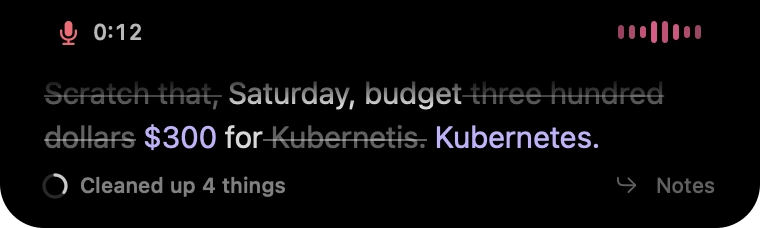
None, Standard, or Smart. Keep the recognized wording, use predictable formatting rules, or add on-device help with self-corrections.
 wisp
Dictation for the things you want to say. Notetaker for the things you want to remember. Both run on your Mac.
Press Control–Option–O and speak into the text field you are already using. Pause to insert a sentence, then carry on.
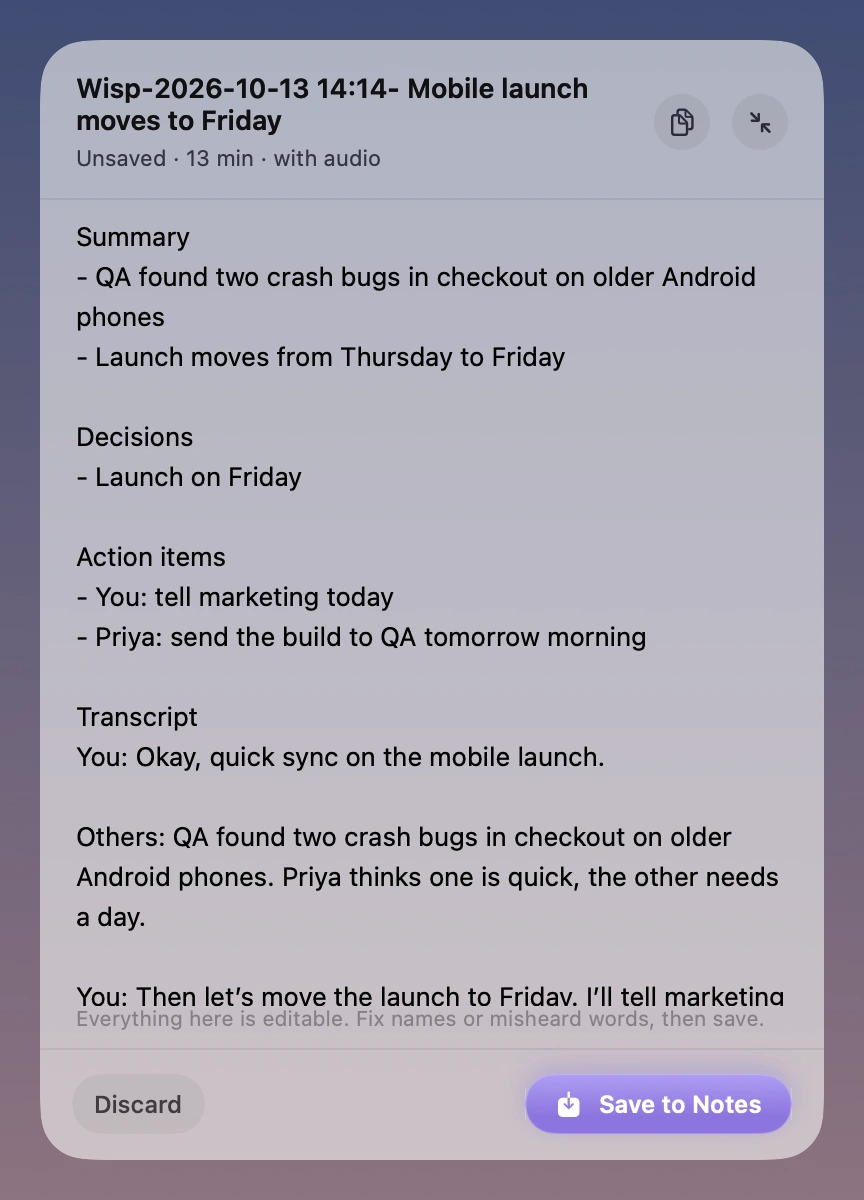
Capture your microphone and the audio playing on your Mac without inviting a bot. Stop the recording, check the notes, and save to Apple Notes.
None, Standard, or Smart. Keep the recognized wording, use predictable formatting rules, or add on-device help with self-corrections.
Built-in technical terms, your personal dictionary, and snippets for complete phrases. Kept on your Mac.
Insert after a pause, hold to talk, review first, or copy text yourself. Change the shortcuts and pause length in Settings.
Recent dictation history and an Analytics tab for words, fixes, speaking pace, and estimated time saved.
Select text and use command mode to say how it should change. Review the on-device result before replacing the selection.
Password fields are skipped. If text cannot be inserted or the target changes, Wisp keeps the sentence available to copy.
Wisp requires Apple silicon and macOS 26 or later. Apple’s speech assets need an initial download. After setup, processing works offline.
Transcription works without Apple Intelligence. Summaries, Smart cleanup, and rewriting need its on-device model to be available. English has received the most evaluation.
Wisp is in early access. It is a local Mac app with no mobile app or team administration dashboard. Your destination apps and Apple Notes use their own sync settings.
Join early access. A 7-day trial and $9 launch price when Wisp is ready.
macOS 26+ · Apple silicon