Draft in the place you already write.
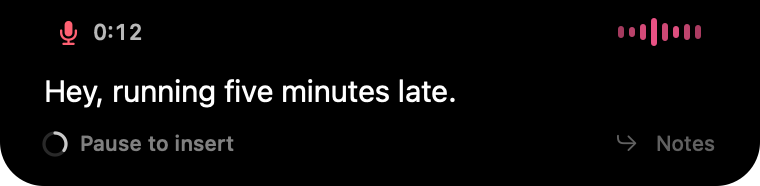
Put the cursor in a document, press the shortcut, and speak. In hands-free mode, Wisp inserts each sentence when you pause and keeps listening for the next one.
 wisp
Start with a rough paragraph, a headline, or an entire train of thought. Say it into your writing app and shape it from there.
Apple Notes · Pages · Ulysses · Bear · Word
Put the cursor in a document, press the shortcut, and speak. In hands-free mode, Wisp inserts each sentence when you pause and keeps listening for the next one.
None keeps the recognized wording. Standard removes hesitation sounds and stutters and formats supported numbers and times. Smart adds on-device help with self-corrections when Apple Intelligence is available.
Character names, publication names, and specialist terms belong in your dictionary. Save a recurring introduction or sign-off as a snippet and insert it with its own short spoken trigger.
Standard cleanup uses rules for fillers, stutters, and formatting. Smart cleanup can resolve self-corrections with on-device AI. Rewriting selected text is a separate command-mode action that you review.
An Apple silicon Mac on macOS 26 or later. AI summaries, Smart cleanup, and rewriting need an available Apple Intelligence model.
Speech processing happens on your Mac. When you insert text into another app or save to Apple Notes, that app’s own storage and sync settings apply.
Explain the bug, the constraints, and what a good fix looks like. Wisp puts your words into the editor or terminal you already use.
Read moreReply to the email, explain the decision, and capture the follow-up. Wisp handles the words where the work is already happening.
Read moreJoin early access. A 7-day trial and $9 launch price when Wisp is ready.
macOS 26+ · Apple silicon