Explain the argument before polishing it.
Dictate an outline into your document while the thought is clear. Keep going across natural pauses, then return to the text to add evidence, references, and structure.
 wisp
Talk through an outline, capture your own voice memo, or turn a permitted recording into a transcript you can work from.
Pages · Word · Apple Notes · browser text fields
Dictate an outline into your document while the thought is clear. Keep going across natural pauses, then return to the text to add evidence, references, and structure.
Import an audio or video file from the Notetaker. Wisp reads its audio locally and prepares a transcript. Notes generation depends on Apple Intelligence being available.
Save a reviewed draft to Apple Notes or copy text into your research tools. Your Notes account may sync through iCloud; choose the destination that fits your work.
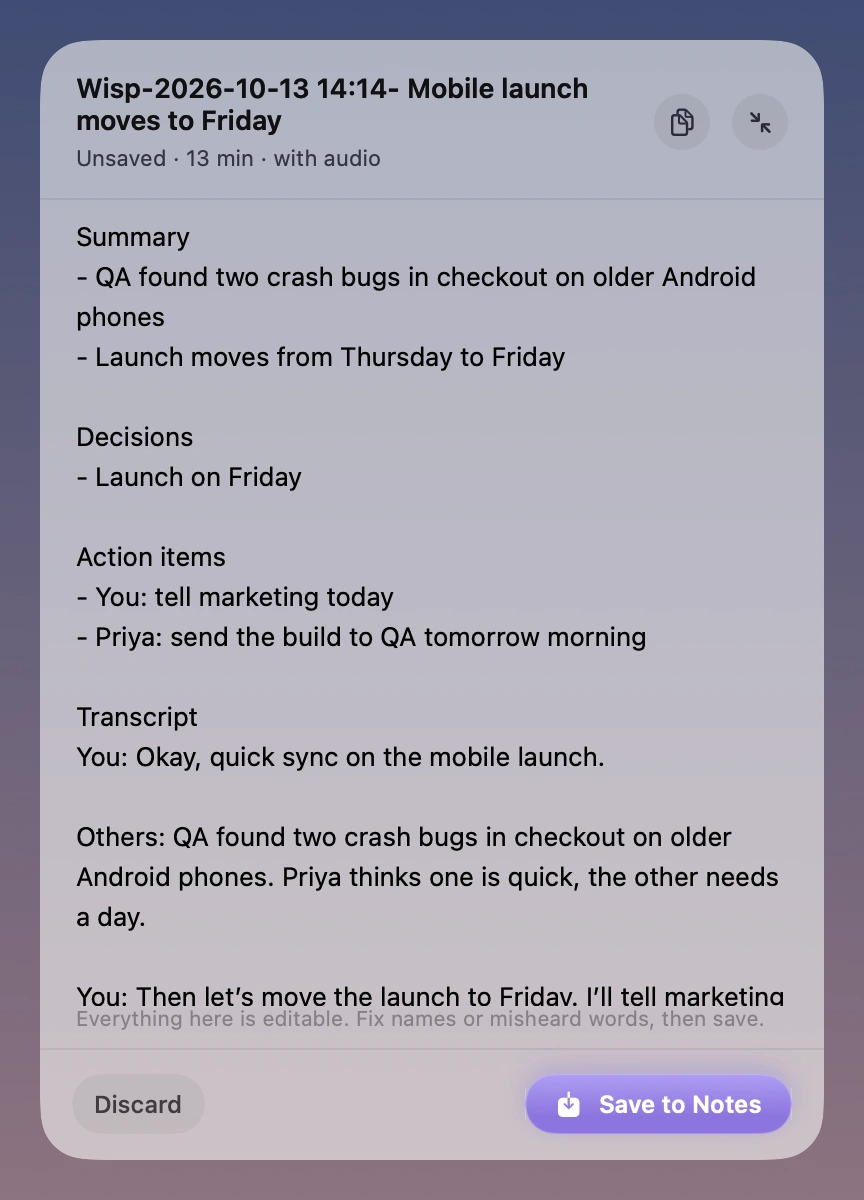
You can import supported audio and video recordings you have permission to use. Wisp transcribes on your Mac. Check specialist terms and quotations yourself; it does not verify facts or create citations.
An Apple silicon Mac on macOS 26 or later. AI summaries, Smart cleanup, and rewriting need an available Apple Intelligence model.
Speech processing happens on your Mac. When you insert text into another app or save to Apple Notes, that app’s own storage and sync settings apply.
Explain the bug, the constraints, and what a good fix looks like. Wisp puts your words into the editor or terminal you already use.
Read moreStart with a rough paragraph, a headline, or an entire train of thought. Say it into your writing app and shape it from there.
Read moreJoin early access. A 7-day trial and $9 launch price when Wisp is ready.
macOS 26+ · Apple silicon