
Granola alternatives for Mac
Use Apple Notes for occasional microphone recordings and transcripts in a note. Consider MacWhisper if recording and transcribing audio is the main job. Wisp is for people who want bot-free Mac call capture, an editable on-device notes workflow, and a copy in Apple Notes. Granola suits people who want a shared, searchable meeting history and cloud-powered follow-up.
By the Wisp team · Sources checked
Quiet Machines makes Wisp. This comparison uses published product documentation and pricing. The workflows below are checklists you can try with your own setup.
The options at a glance
Scroll the table to see every column.
| Tool | Capture and processing | Where the result goes | Price and availability |
|---|---|---|---|
| Granola | Bot-free device audio capture. Transcription and note generation need internet | Granola notes, sharing, and plan-specific integrations | Basic tier. Business listed at US$14 per user per month |
| Apple Notes | Record directly into a note. Transcription and summaries depend on device, language, and settings | Audio, transcript, and optional Apple Intelligence summary in the note | Included with macOS |
| MacWhisper | Manual and supported automatic meeting recording. Local transcription available with downloaded models | Review the recording and transcript in MacWhisper | Free and Pro editions. Check the current edition for the features you need |
| Wisp | Microphone and system audio captured on Mac. On-device transcription and Apple Intelligence summaries | Review first, then save notes, transcript, and recording to Apple Notes | US$9 once per Mac with the early-access offer. Planned regular price US$49 |
Choose where the meeting record should live
If the notes are for the whole team, try sharing a real note with a teammate before changing tools. Check that they can open it, search it, and find the decisions later. Granola’s shared workspace and integrations are useful when meeting context belongs with team projects or CRM records.
If you mainly need a record for yourself, keeping it in Apple Notes can be simpler. An iCloud Notes folder can sync according to your Apple settings, even when the capture and transcription ran on the Mac.
Try a ten-minute call before you move
Use a short call or recording you have permission to capture. Include a decision, one owner with a deadline, and a question that stays open. Ask the other person to speak at least once while your microphone is muted so you can check that their audio is captured too.
- After the call, compare the notes against the transcript. Check names, deadlines, and who agreed to do what.
- Find the recording or transcript again from the app where you normally work. Try sharing only the summary and check what the recipient can see.
- If offline processing matters, try generating notes from a local recording while disconnected. The video call itself will still need a network connection.
When Wisp fits
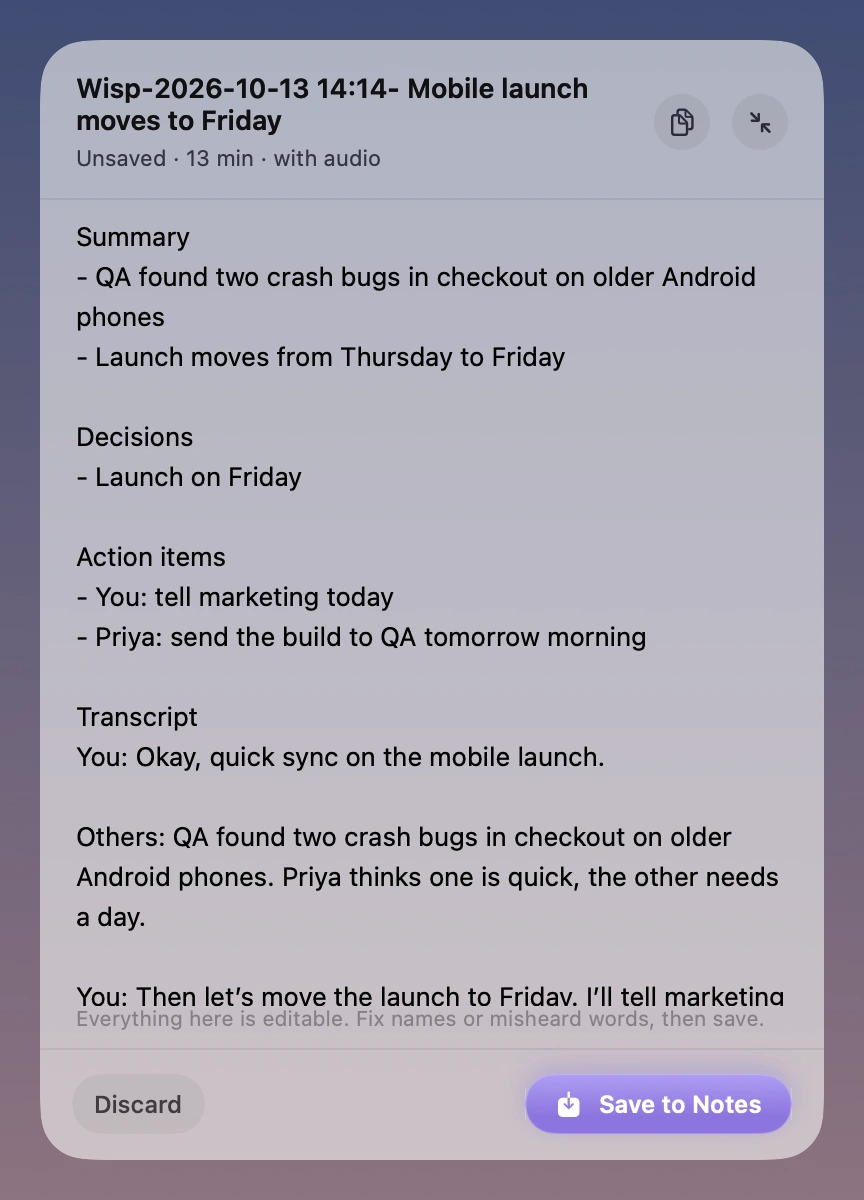
Wisp makes sense for a personal Mac workflow where both sides of a call should be captured and the final record should land in Apple Notes. You can review and edit the draft before saving. It also imports existing audio or video recordings.
Wisp is in early access. Joining the waitlist reserves the launch offer. Wisp requires Apple silicon and macOS 26 or later. Transcription works without Apple Intelligence. Generating the summary, decisions, and action items requires Apple Intelligence to be available and enabled.
Common questions
Does Granola send a bot into the call?
Granola captures device audio and microphone input. It does not join the call as a participant. Its transcription and note generation use an internet connection.
Can Apple Notes summarize a recording?
Yes, on a compatible Mac when Apple Intelligence is available and turned on. Apple documents the audio recording, transcription, and summary workflow.
Will Wisp replace a shared Granola workspace?
Wisp is designed around personal capture and saving to Apple Notes. If your team depends on Granola’s shared history, workspace permissions, or integrations, include those in your evaluation.